



Managing a business across multiple locations can feel like running several companies at once. Each branch has its own staff, processes, and customer base. Without a unifying system, things quickly fall apart: leads slip through the cracks, reporting becomes messy, and the customer experience varies wildly between locations.
That’s exactly where SaaS Snapshots come into play. In this case study, we’ll explore how they help businesses scale seamlessly, standardize processes, and unlock growth—backed by real-world examples and actionable takeaways.
Quick Takeaways
📌 Snapshots replicate proven systems across locations with just a few clicks.
🌍 They eliminate inconsistency in customer experience and internal processes.
🛠️ Workflows for sales, service, and marketing are pre-built and customizable.
📊 Centralized reporting makes it easy to compare and manage branches.
💡 Case studies prove faster onboarding and higher conversion rates.
The Growing Challenge of Multi-Location Operations
When a business expands from one location to five, ten, or fifty, problems multiply:
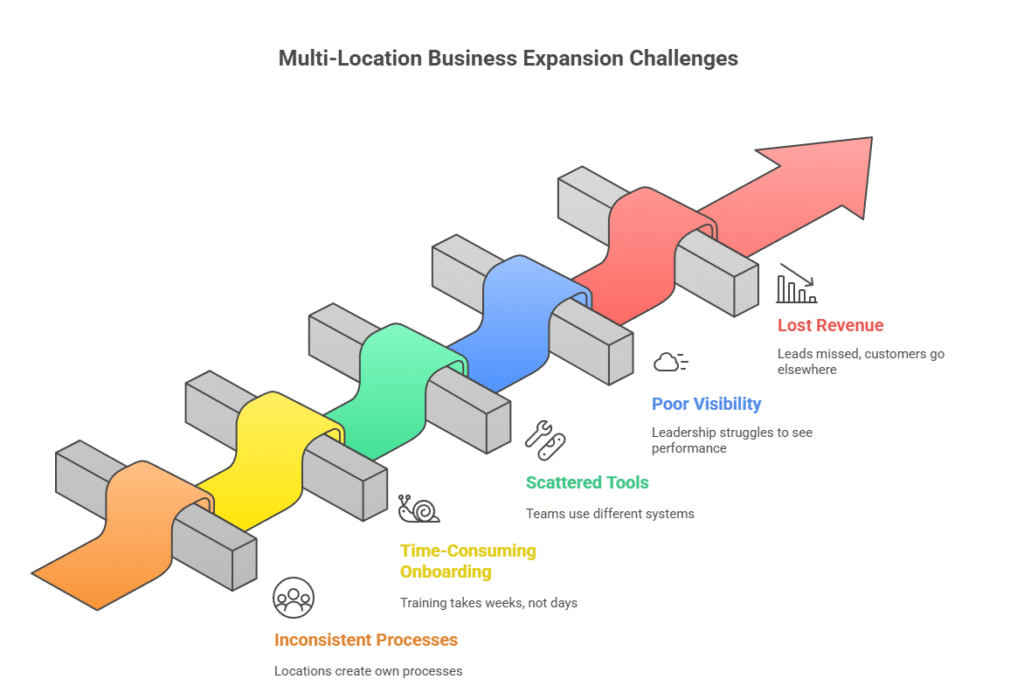
Inconsistent processes 🌀 Each location invents its own way of doing things.
Time-consuming onboarding ⏳ Training new staff takes weeks, not days.
Scattered tools 🧩 Some teams use spreadsheets, others use different CRMs.
Poor visibility 🔍 Leadership struggles to see performance across all sites.
Lost revenue 💸 Leads are missed, follow-ups are delayed, and customers go elsewhere.
These challenges don’t just slow growth—they actively cost businesses money.
What Are SaaS Snapshots
Think of a SaaS Snapshot as a master template for your business operations. It bundles together:
CRM setup 🗂️
Automated workflows ⚙️
Funnels and forms 📥
Pipelines for leads and deals 📊
AI tools for calls, chats, and emails 🤖
Once created, a snapshot can be deployed to any new location instantly. Instead of reinventing the wheel, you replicate the same winning system everywhere.
Problems vs Snapshot Solutions
| Common Multi-Location Problem | Snapshot Solution |
|---|---|
| Different follow-up speeds across locations | Automated workflows ensure instant, uniform responses |
| Managers can’t compare branch performance | Centralized dashboards track metrics for all locations |
| High onboarding costs for new staff | Ready-made templates shorten training time |
| Leads lost due to missed calls/messages | AI receptionist and chatbot handle 24/7 communication |
| Confusing, inconsistent branding | Pre-built funnels/forms keep look and tone consistent |
Case Study Example: Regional Fitness Franchise
👉 The Challenge
A fitness brand with 12 locations had inconsistent lead management. Some gyms converted 25% of inquiries, while others barely hit 10%. Onboarding new branches was slow, and reporting was chaotic.
👉 The Snapshot Solution
They deployed a SaaS Snapshot that included:
Automated SMS and email follow-ups.
A standardized sales pipeline for all gyms.
Centralized dashboards for franchise owners.
Booking calendars with reminders for prospects.
👉 The Results
Lead conversion increased by 35% in 60 days.
Onboarding time for staff dropped from 2 weeks to 3 days.
Management could finally compare performance across all 12 locations
🚀 Struggling to keep your multi-location business consistent?
Stop reinventing the wheel—start scaling smarter with proven SaaS Snapshots today .
Results Before vs After Snapshot
| Metric | Before Snapshot | After Snapshot |
|---|---|---|
| Lead Conversion Rate | 10–25% (varied by location) | 35% average across all gyms |
| Staff Onboarding Time | 14 days | 3 days |
| Reporting | Inconsistent, manual | Centralized, automated |
| Customer Experience | Different in each branch | Standardized and seamless |
Key Benefits of SaaS Snapshots
⚡ Speed of Deployment
Launch a new branch in days, not months. Everything from forms to pipelines is ready to go.
📏 Scalability
Whether you add 1 or 100 branches, the setup remains consistent.
🎯 Consistency in Customer Experience
Every lead gets the same fast follow-up, and every client sees the same brand identity.
📊 Better Insights for Managers
Instead of guessing, managers get real-time reports across all locations.
🔄 Reduced Training Costs
New employees don’t need to learn from scratch—workflows guide them step by step.
Real-World Industries Using SaaS Snapshots
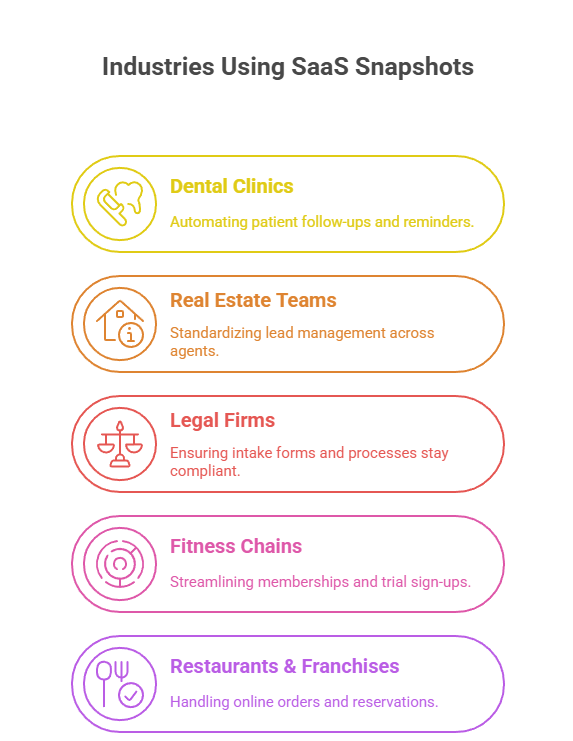
Dental Clinics 🦷 – Automating patient follow-ups and reminders.
Real Estate Teams 🏡 – Standardizing lead management across agents.
Legal Firms ⚖️ – Ensuring intake forms and processes stay compliant.
Fitness Chains 💪 – Streamlining memberships and trial sign-ups.
Restaurants & Franchises 🍔 – Handling online orders and reservations.
How to Implement SaaS Snapshots in Your Business
- Audit Current Processes
Identify gaps in how different locations handle leads, follow-ups, and reporting. - Choose or Build a Snapshot
Either adopt a pre-built industry-specific snapshot or work with a SaaS partner to create one. - Roll Out in Phases
Test in 1–2 locations before scaling across all branches. - Train Staff
Use built-in workflows and templates to cut training time. - Monitor and Optimize
Utilize dashboards to monitor adoption, conversion rates, and customer satisfaction.
Step-by-Step Implementation Roadmap
| Step | Action | Timeline |
|---|---|---|
| 1 | Audit current workflows | Week 1 |
| 2 | Choose or customize snapshot | Week 2 |
| 3 | Deploy to pilot locations | Weeks 3–4 |
| 4 | Train staff with templates | Week 4 |
| 5 | Roll out to all branches | Week 5 onward |
| 6 | Monitor dashboards and optimize | Ongoing |
Common Mistakes to Avoid
❌ Trying to customize too much upfront. Start simple.
❌ Skipping staff training. Even the best workflows fail without adoption.
❌ Ignoring reporting tools. The real value comes from insights.
❌ Delaying rollout. A snapshot only delivers results once in use.
Frequently Asked Questions
Do I need technical expertise to use SaaS Snapshots?
Q: Can I tweak workflows for each branch?
Q: What platforms support snapshots?
Q: Is this suitable only for franchises?
Q: How quickly will I see results?
Conclusion
SaaS Snapshots aren’t just a tool—they’re a strategy for scaling with confidence. By standardizing workflows, automating follow-ups, and centralizing reporting, they transform multi-location businesses from chaotic to consistent.
Whether you run a franchise, a chain of clinics, or an agency with multiple clients, snapshots allow you to replicate success at scale. The result? Faster growth, happier customers, and managers who can finally sleep at night.
🔥 If your business is juggling too many moving parts, it’s time to consider SaaS Snapshots. They might just be the missing link between operational headaches and streamlined success.
Ready to streamline your operations?
 Visit saasghlsnapshot.com and discover how SaaS Snapshots can help you build consistency
and scale with ease.