
GHL sidebar menu customization your subscribers will feel
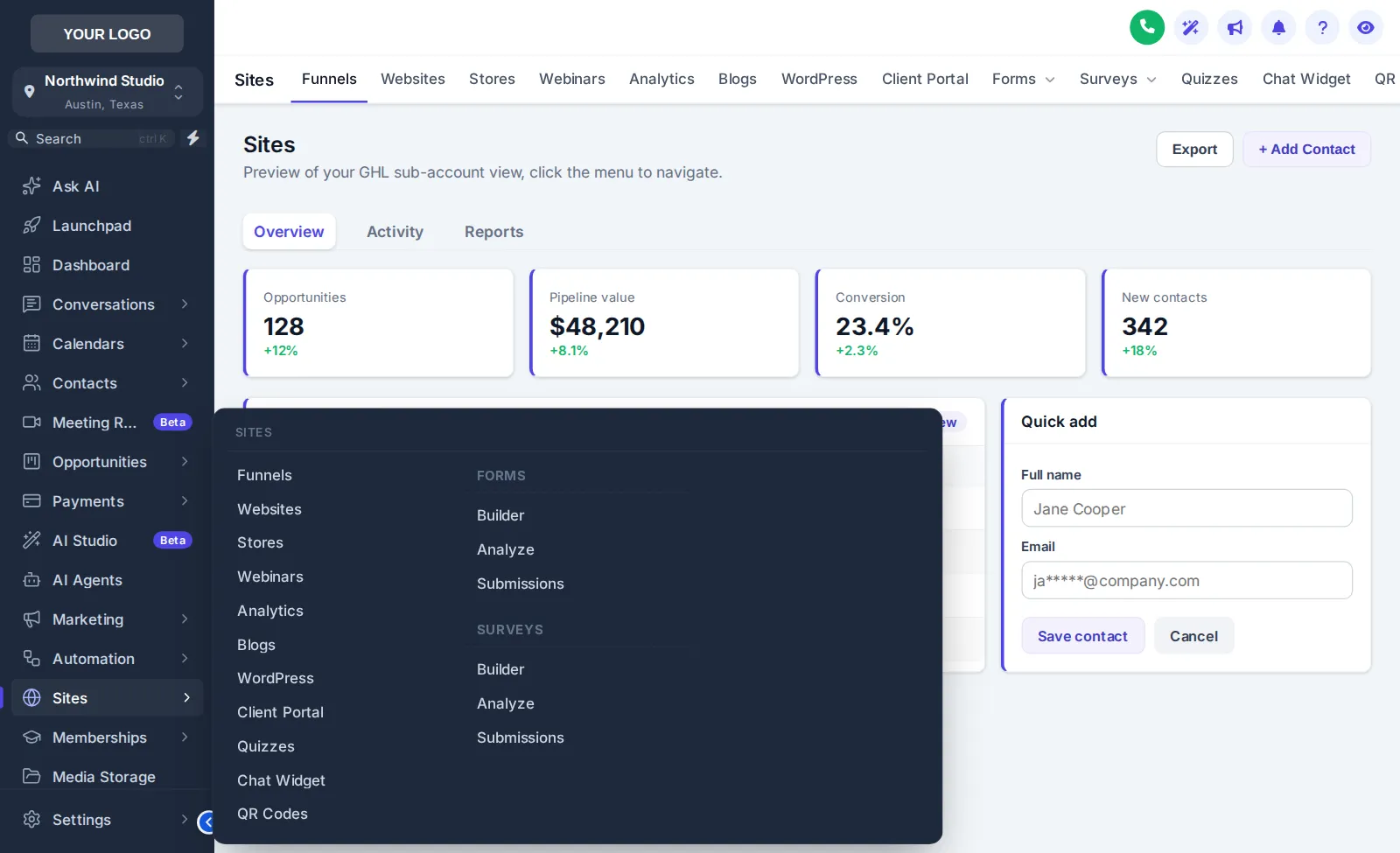
GHL sidebar menu customization lets you decide how people move through your product: left, right, top bar or icon rail, with 8 mega menu styles, 8 top-bar styles, 8 header styles and a floating quick menu. No GoHighLevel features are removed; they are just easier to reach.
Rebuild the GoHighLevel navigation in the frame
Pick a layout, a sub-menu style and a header. Top-bar styles appear when Top bar is selected. Switch on the quick menu and drag it by its grip.
Sidebar, top bar or mega menu: which should a SaaS reseller use?
Use a left sidebar with mega menus when subscribers use many GoHighLevel areas, a top bar when they live in a few pages and want more width for boards and inboxes, and the collapsed icon rail for power users on small laptops. Add the quick menu for the five pages your plan is really about.
GoHighLevel mega menu and quick menu ideas
Plan-shaped navigation
A reputation plan and a booking plan need different shortcuts. Put the pages a plan sells in the quick menu so the product matches the pitch.
More room for the board
Moving navigation to a top bar widens opportunities and conversations, which sales-heavy subscribers notice immediately.
Announcements and self-service
Scale also adds announcements to sub-accounts and sub-account self-service, so product news and simple changes no longer need a support ticket.
Rolling out a new menu
List the top tasks
Write down the five pages your subscribers open most; they become quick-menu items.
Pick a layout
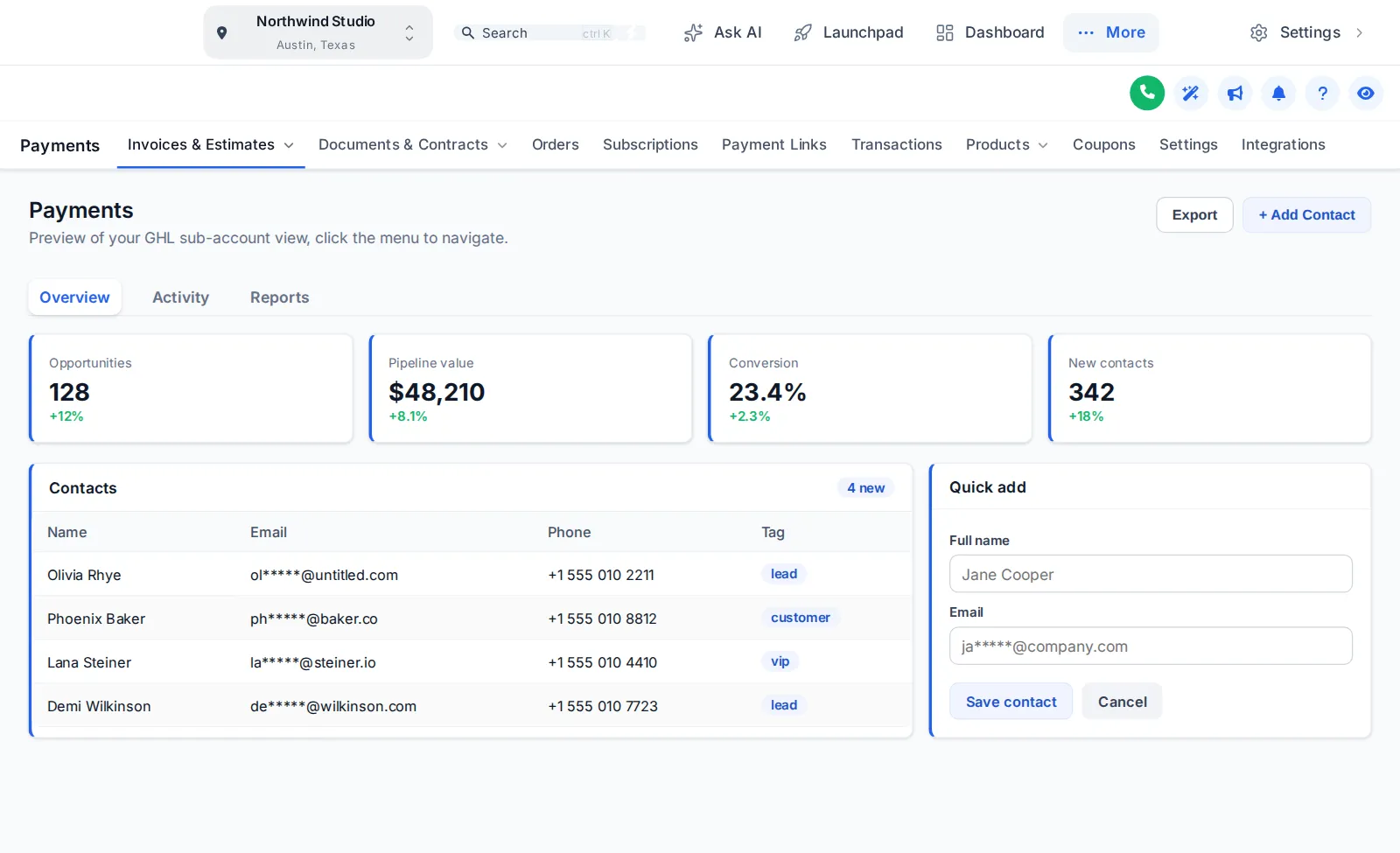
Sidebar, top bar or icon rail, previewed on dashboard, contacts and payments.
Style sub-menus
Choose one of 8 mega styles or keep the plain list.
Publish and announce
Publish, then tell sub-accounts with an in-app announcement.
about 2 minutes
GHL top bar navigation and mega menus
NAV-01Can I customise the GHL sidebar menu?
Yes. Choose a left sidebar, right sidebar, top bar, merged top bar or collapsed icon rail, then add mega menus, header styles and a floating quick menu. Layout choice is in every package; mega menus and the quick menu start at Scale ($797).
NAV-02What is a GoHighLevel mega menu?
A wide panel that opens from a menu item and shows its sub-pages in columns or a split list, instead of a narrow nested list. There are 8 mega styles; hover Sites in the preview once a mega style is chosen.
NAV-03Can the menu sit across the top instead of the side?
Yes. The top-bar layout moves navigation into a horizontal bar, with 8 top-bar styles such as floating, glass, segmented and slim, and a merged mode that combines the bar with the header.
NAV-04What is the floating quick menu?
A draggable launcher that gives one-click access to the pages your team uses most. It comes in 3 layouts (bubble with grid, dock bar, side rail) and 8 designs.
NAV-05Does changing the menu move or rename GoHighLevel features?
No features are removed. The menu is restyled and reorganised visually; the pages behind it are the same GoHighLevel pages.
NAV-06What changes in the header?
There are 8 header styles, from GoHighLevel default to soft tint, brand, gradient, glass and accent line, so the top of each page matches the navigation.
NAV-07Is this useful for SaaS-mode sub-accounts?
Very. Subscribers navigate dozens of times a day; a layout that feels designed for them is the part of your product they notice most after the login page.
NAV-08Does it work on mobile?
Yes. Use the Phone button in the preview to see how each layout collapses on a small screen.
NAV-09What does Launch include for menus?
Launch includes the sidebar or top-bar layout choice with any theme. Mega menus, the floating quick menu, announcements and sub-account self-service are added in Scale.
Next in the product layer
Navigation that matches your offer.
Scale adds mega menus, the quick menu, dashboards, pipelines and contact actions on top of every theme. $797 one-time.
GoHighLevel and HighLevel are trademarks of HighLevel, Inc. SAAS GHL Snapshot is an independent business and is not affiliated with, endorsed by or sponsored by HighLevel. The GHL Customizer is third-party software that runs on top of your own GoHighLevel account; screenshots and previews show sample data. Prices are one-time, in USD, as listed on the pricing page.