
If you’re running a SaaS agency or reselling GoHighLevel, you know this pain:
- Missed calls from leads.
- Long hours tied to your phone.
- Wasted time answering the same questions over and over.
In a fast-moving digital world, every second counts—and your potential clients aren’t waiting. They’re calling the next competitor if you don’t answer.
But what if your phone system automatically answered, qualified leads, booked appointments, and even tagged spam—without you lifting a finger?
That’s exactly what AI call tracking in GoHighLevel SaaS snapshots delivers.
What You’ll Learn in This Article
- What AI call tracking actually is—and how it works
- Real benefits for SaaS founders, agencies, and freelancers
- Complete setup guide (with GoHighLevel-specific steps)
- Practical use cases to maximize lead conversion
- Pricing breakdown: AI call tracking costs & ROI
- FAQs and real-world success tips
Whether you’re just starting with GoHighLevel or scaling a 6-figure SaaS agency, this guide will help you unlock the full power of AI voice automation inside your snapshot.
What is AI Call Tracking in a SaaS Snapshot
Let’s simplify it:
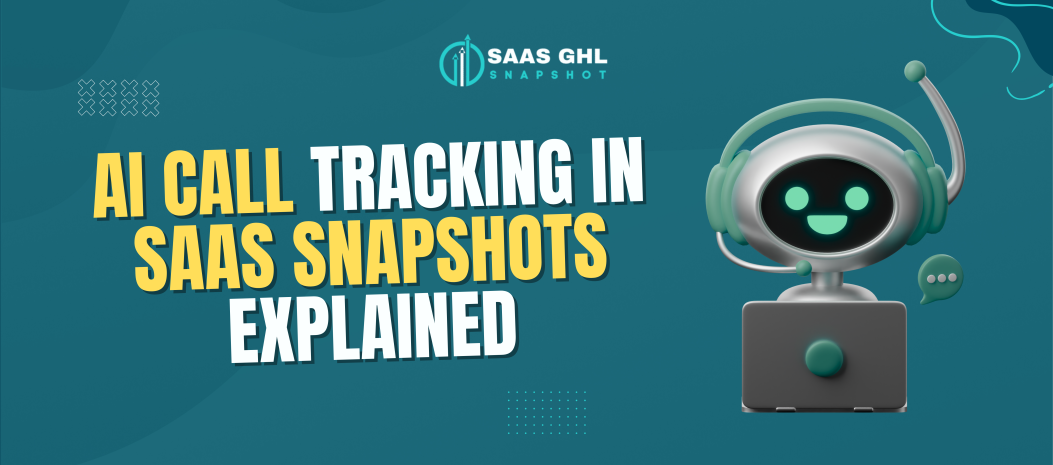
AI call tracking is a smart, voice-powered assistant that answers and routes calls automatically.
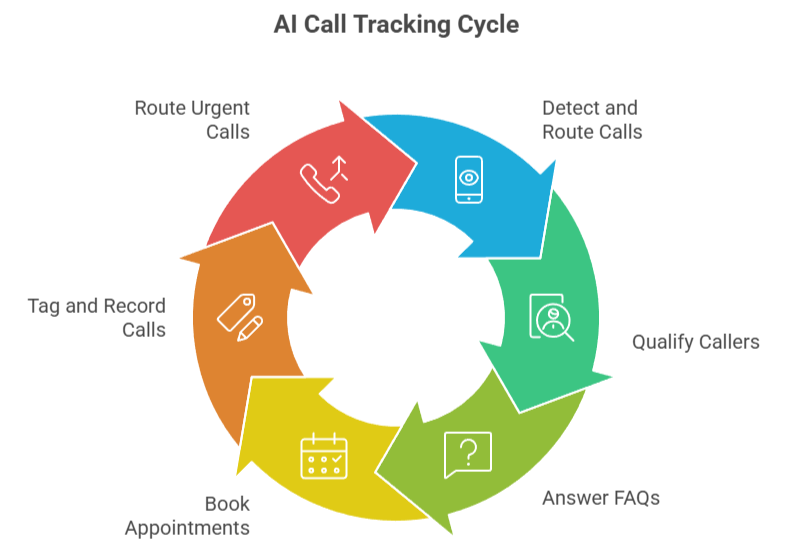
In the context of GoHighLevel SaaS snapshots, this assistant is fully integrated into your CRM. It allows you to:
- Detect and route inbound calls 24/7.
- Qualify whether the caller is a new lead or an existing client.
- Answer FAQs using voice recognition.
- Book appointments in real time.
- Tag, record, and summarize every call.
- Route urgent calls to a human rep if needed.
Instead of hiring a full-time receptionist, your snapshot handles it all—automated, intelligent, and scalable.
Why AI Call Tracking is a Game Changer for SaaS Agencies
Here’s what happens without AI call tracking:
- A lead calls at 6:30 PM—you miss it. They go cold.
- You spend 20 minutes explaining how to book a call. Again.
- You answer a spam call and lose your focus for the next hour.
- You forgot to follow up on a hot lead from 2 days ago. Ouch.
Now imagine this:
- AI answers instantly, 24/7.
- New leads are booked directly onto your calendar.
- Calls are recorded and tagged with intent.
- You’re notified only when a human is needed.
Result? More leads handled, less stress, and a higher conversion rate—with fewer team members.
Features of AI Call Tracking Inside GoHighLevel Snapshots
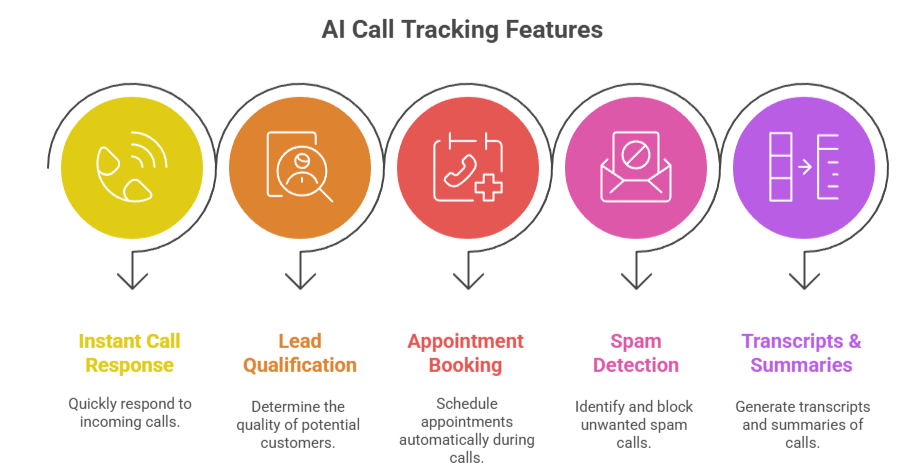
Let’s break down what’s included in the AI-powered voice assistant you get with your SaaS snapshot:
✅ 1. Instant Call Response
No more missed leads. AI answers within a second and engages immediately.
✅ 2. Lead Qualification
It asks, “Are you a new client or calling about an existing service?”
Based on the response, it routes or books them.
✅ 3. Appointment Booking
AI connects to your calendar and schedules calls or consultations in real time.
✅ 4. Spam & Opt-Out Detection
It recognizes spammy behavior or opt-out requests and logs them automatically.
✅ 5. Transcripts & Call Summaries
Every call is recorded, transcribed, and added to the contact record with summary tags like
- Lead
- Client
- Spam
- Needs follow-up
- ✅ 6. Routing to Human Reps
Need to take over? AI can transfer the call to a human agent if necessary.
How to Set Up AI Call Tracking in Your GoHighLevel SaaS Snapshot
Good news: If you’re using a high-quality snapshot (like the one on your site), this is already mostly done. Here’s how to go live in 5 easy steps:
Step 1: Add or Connect Your Number
- Go to Phone System → Numbers.
- Choose a local or toll-free number via LC Phone or Twilio.
Step 2: Enable Conversation AI
- Navigate to Settings → Conversation AI.
- Toggle on Voice AI Assistant.
- Select your call intents (lead qualification, appointment booking, support, etc.).
Step 3: Set Routing Rules
- Define how AI should handle different call types.
(e.g., Leads → Booking Page, Clients → Support Ticket, Spam → Opt-out)
Step 4: Connect Your Calendar
- Go to Calendars → Integrations.
- Sync your booking calendar so AI can auto-schedule.
Step 5: Test and Deploy
- Use test numbers or have a friend call the line.
- Refine any call logic as needed.
- Activate the flow—you’re live!
Real-World Use Case
🧠 Meet Sam—a Facebook Ads agency owner.
Before AI Call Tracking:
- Missed 2-3 calls a week from leads
- Had to manually send booking links
- Burned hours answering basic questions
- After AI Call Tracking (via GoHighLevel Snapshot):
AI handles 85% of calls automatically.
- Booking rate increased by 40%.
- Support tickets dropped by 50%.
- Sam gets detailed summaries of every lead call, tagged with their needs.
Pricing Breakdown
Here’s an exact cost breakdown so you know what you’re investing:
| Feature | Snapshot Plan (One-Time Fee) | Monthly Cost |
|---|---|---|
| Full GoHighLevel Snapshot | $1,100 – $2,500 (One-Time) | None (lifetime access) |
| AI Voice Assistant Setup | Included | None |
| Call Minutes (LC Phone / Twilio) | – | ~$0.018/min |
| Call Recording & Transcription | Included | No additional fee |
| Support & Maintenance | 15 Days Expert Help | Optional ongoing support |
📌 Most agencies handle under 200 minutes/month = less than $4/month in AI usage.
Tips to Maximize AI Call Tracking
- Preload FAQs so the AI can answer real customer questions.
- Use tagging to segment hot leads from cold calls automatically.
- Monitor transcripts weekly to identify missed opportunities.
- Set call fallback rules for urgent or high-value clients.
- Combine with SMS AI for multi-channel automation (e.g., call → text follow-up).
Common Questions Answered
Can I customize what the AI says?
Does this work internationally?
What happens if the AI doesn’t understand the caller?
Is this suitable for small teams?
Can I use this for multiple clients?
Conclusion
AI call tracking is the missing link between your marketing and sales workflows.
It fills the gap where leads are lost, calls are missed, and support falls behind.
With a GoHighLevel SaaS snapshots that includes full AI call integration, you don’t just automate tasks—you multiply your time, increase your lead conversion, and deliver better client experiences.
You’re not just saving hours.
You’re building a smarter, scalable SaaS business.